Our products / TransLocale
From translated text to words in the app.
An AI agent can draft a translation. Getting the right wording into a running app takes review, checks and a dependable way to deliver it. That’s the work behind TransLocale.
- Built for
- App developers & localization teams
- Our role
- Product design, workspace & developer tools
- Relationship
- A Shindar Tech product Visit product
01 / The gap
The wording is ready. The app still has the old version.
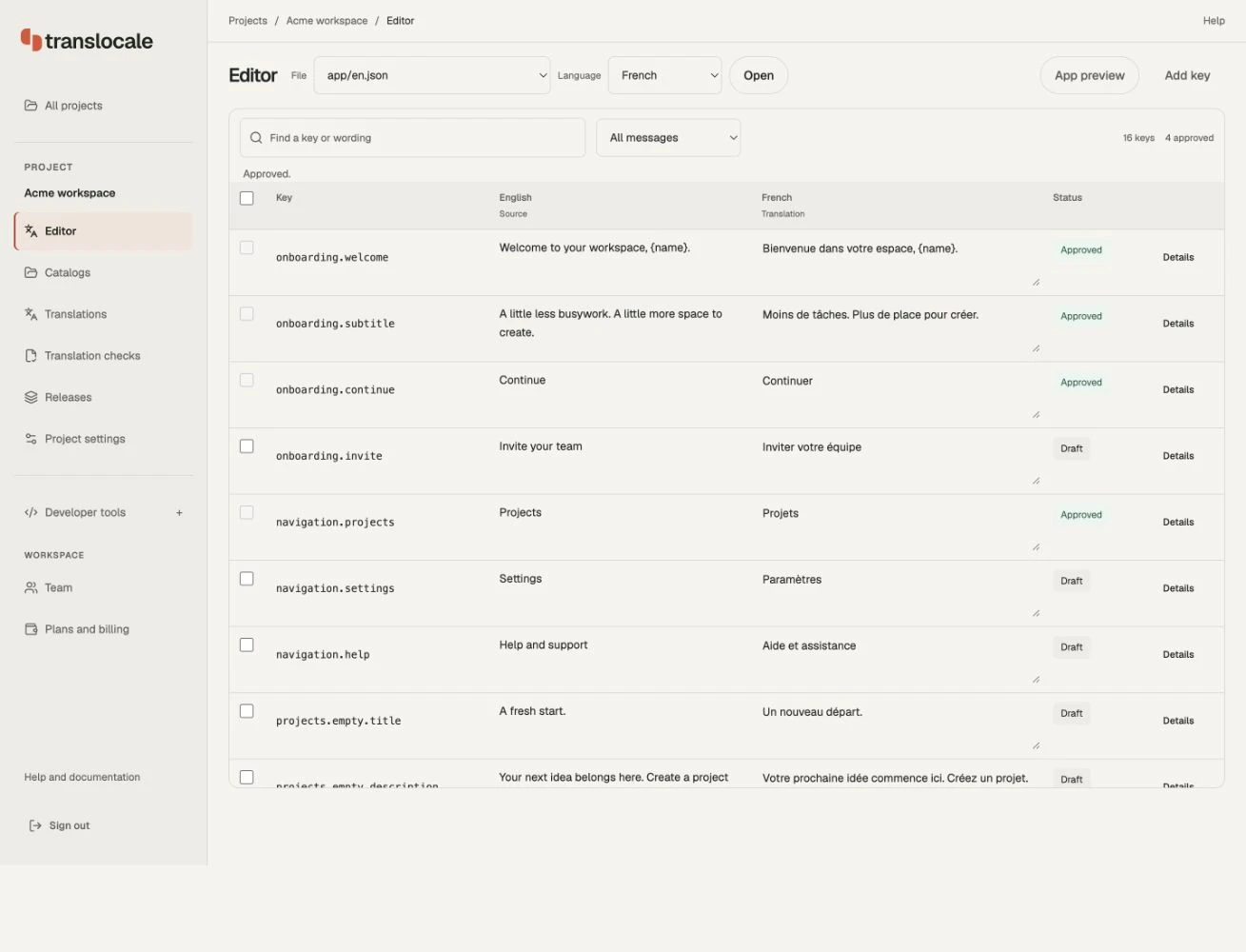
A corrected onboarding message can be a small change in a language file and a much larger release task. Someone has to review it, check that the app can use it, and get it to customers.
We built TransLocale around that path from language files to app delivery. Developers can bring translations from their own AI agent or translator, review them in the workspace, and publish compatible wording to connected apps. Translation generation is optional.
From draft to app
- 01
Bring the wording
Import language files from your existing translation workflow.
- 02
Check & review
Resolve missing keys and placeholder issues. Approve the wording.
- 03
Preview a release
Review the update in preview before promoting it to production.
- 04
Deliver the update
Compatible apps receive it when they next check for updates.
02 / Review in context
A placeholder is part of the message.
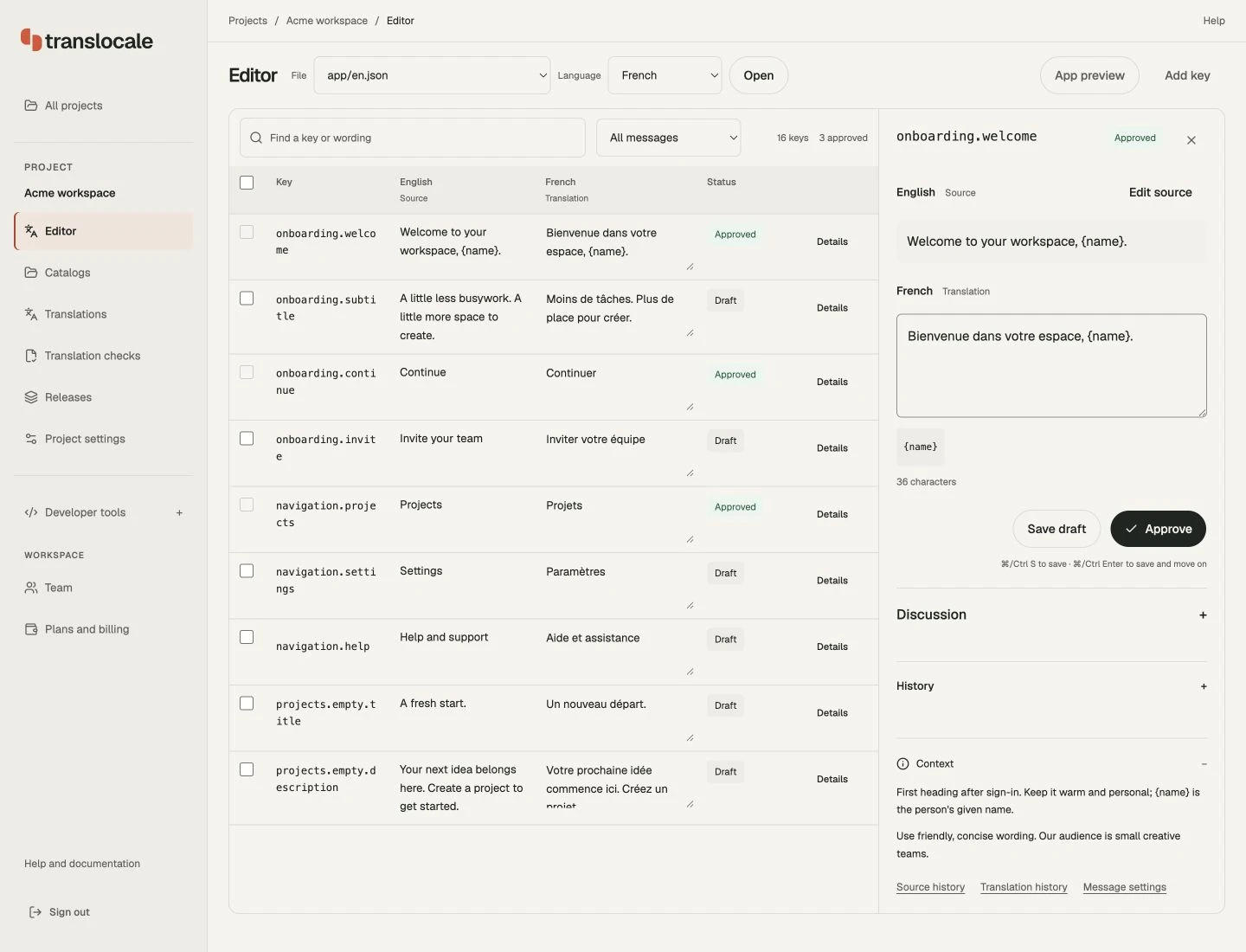
The welcome message below includes {name}. It represents a value supplied by the app, so it needs to survive translation. The details panel keeps the source, editable translation and placeholder in one view.
Context beneath the editor explains where the message appears and what the placeholder means. The reviewer can check the intended tone as well as the words. Validation handles a separate concern: whether keys and placeholders still match what the application expects.
03 / AI & approval
Drafting and publishing are separate steps.
TransLocale connects to coding assistants through MCP, and also offers a CLI and dashboard. An agent can help import wording, find problems and prepare a release. A team can keep using its existing translation tools.
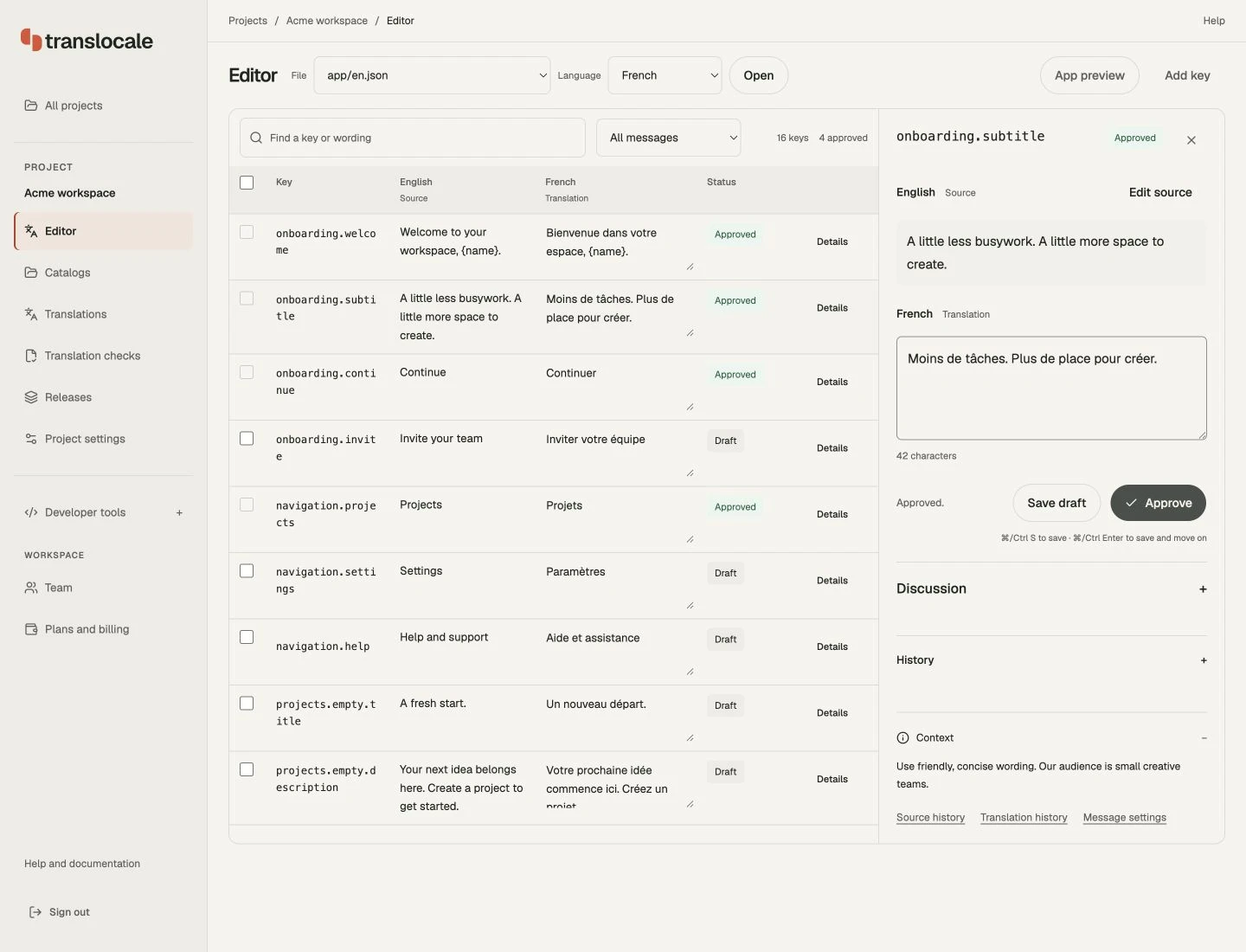
The workspace makes each message’s state explicit. In this example, the onboarding subtitle moves from Draft to Approved after review. Approval records readiness; publishing a release is a separate action.
04 / The delivery contract
An app still needs words when a request fails.
Connected apps retain cached or bundled translations when they cannot fetch an update. Releases can be rolled back to a previous compatible version. Delivery has to account for the app already installed on someone’s device.
Over-the-air updates apply to compatible wording changes. New keys, languages or message parameters may still require an app build, and support varies by integration. That boundary is part of the setup, so a team can check what its app can receive before publishing.
05 / Try the workflow
Start with a language file you already have.
Bring a project’s wording into TransLocale, review it and check your app’s delivery integration. Shindar Tech designs and develops the product, from the review workspace to the tools developers use to connect it.
Have something in mind?