Our products / Cairn
One place for the work around a client.
A newcomer’s support can span several programs. We’re building Cairn to keep the client’s history connected as that work moves between people.
- Built for
- Canadian settlement agencies
- Our role
- Product design & software development
- Relationship
- A Shindar Tech product Visit product
01 / The work
The same person, across different programs.
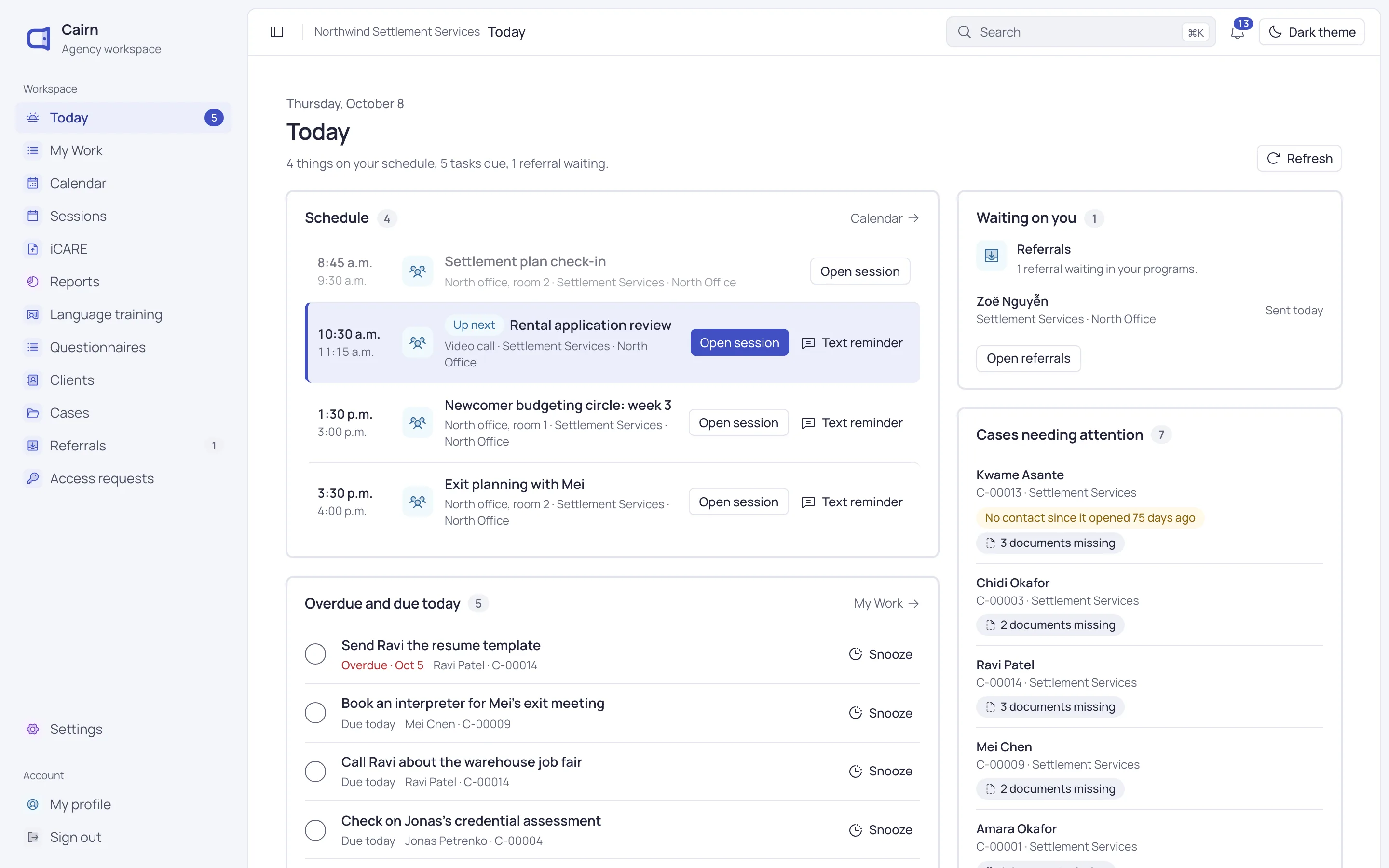
A caseworker records a housing follow-up. An instructor tracks language-class attendance. A manager needs to understand the services delivered during a reporting period. Each works at a different level of detail, but the records belong to the same agency.
Cairn is Shindar Tech’s case and learning management product for this setting. It connects client and family information with cases, program activity and reporting. Our work covers both the interface staff use and the software that keeps those records connected.
A path through Cairn
- 01
Start with the day
See the schedule and follow-ups that need attention.
- 02
Open the client
Find contact details, family relationships and service history.
- 03
Record the work
Keep notes, tasks and documents with the relevant case.
- 04
Review activity
Look across recorded work by program and reporting period.
02 / Inside a case
Keep the next action beside the history.
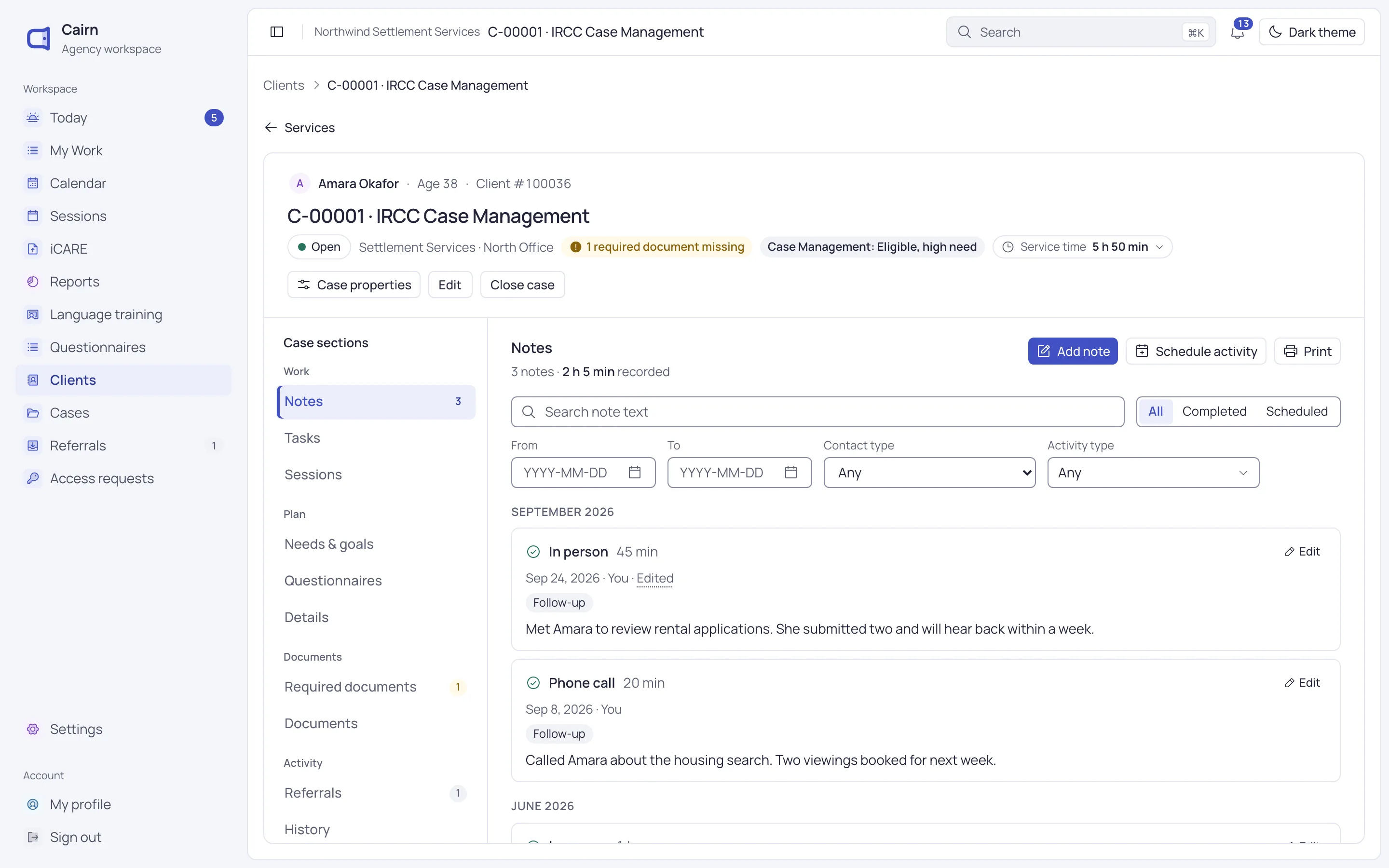
In the demonstration below, a housing case contains a phone call and a later meeting. The notes retain their dates, contact types and time spent. Tasks and required documents sit in the same case, with a missing-document notice visible above the history.
That arrangement gives a member of staff somewhere to pick up the work: read the last contact, check what is still missing, then add a note or schedule an activity. The client’s name and case status remain visible while they do it.
03 / Design decisions
Shared context needs clear boundaries.
The client record separates contact information, family details and program-specific work into distinct views. A preferred phone number is also kept separate from permission to contact it. Those are different facts, and the interface treats them that way.
Access follows roles and programs, with additional restrictions for sensitive records. Connecting information across the product still requires control over who can open it.
04 / Reporting
A number should explain what it counts.
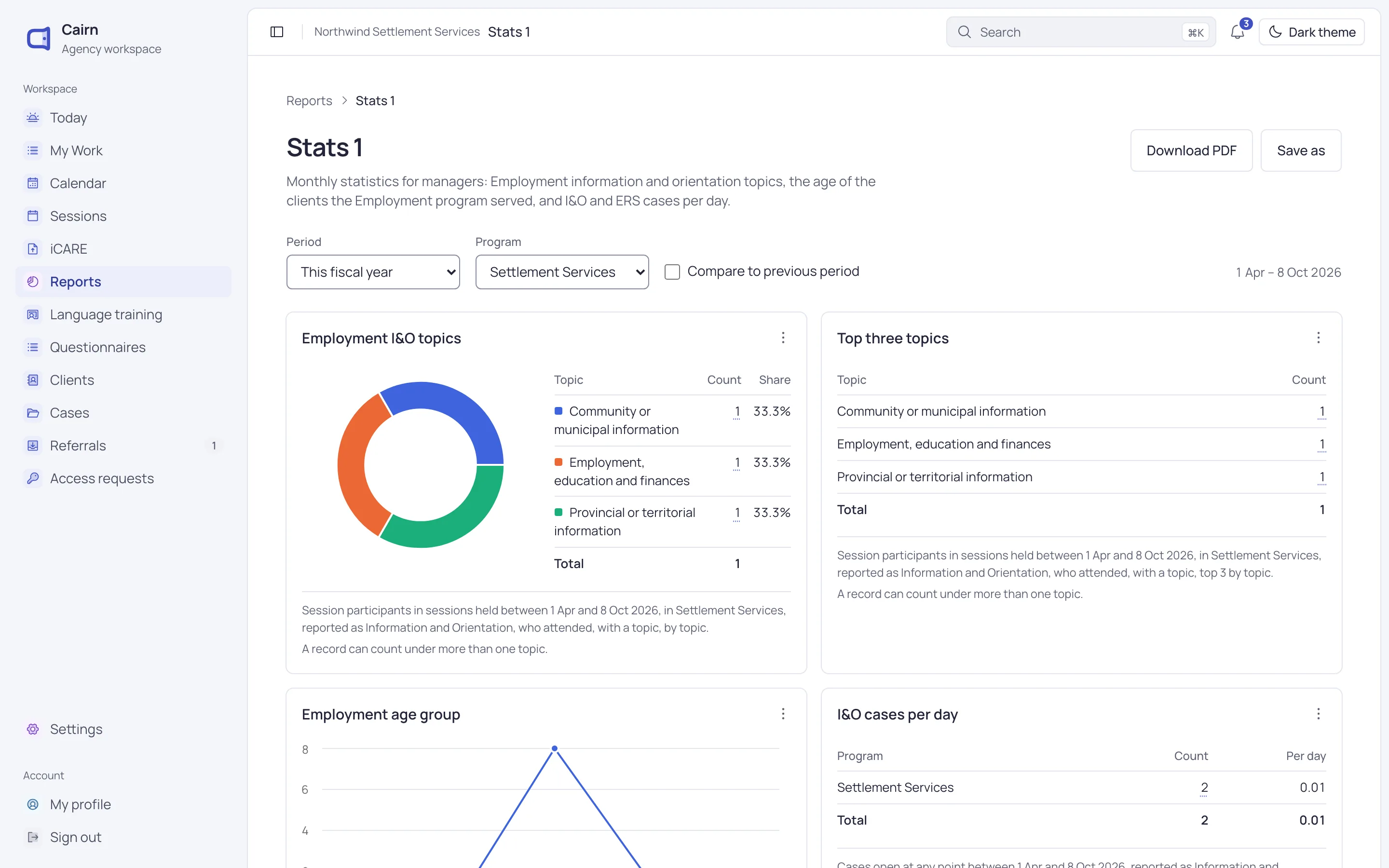
The reporting view below combines a period and program filter with charts and tables. Each result includes a definition of the activity being counted. The topics report also explains that one record can appear under more than one topic.
These details matter when someone needs to interpret a total or compare periods. Reporting draws on recorded program activity, while iCARE tools prepare IRCC templates and flag missing details before export.
05 / Explore further
See the work in your agency’s context.
The screens here show part of a broader product covering intake, client records and language training. A Cairn walkthrough can focus on the programs your agency runs.
Have something in mind?